Creating an FTP account in the Cpanel.

Step 1. Go to the cPanel

Step 2. 
Go to FTP Accounts in the Files  section.
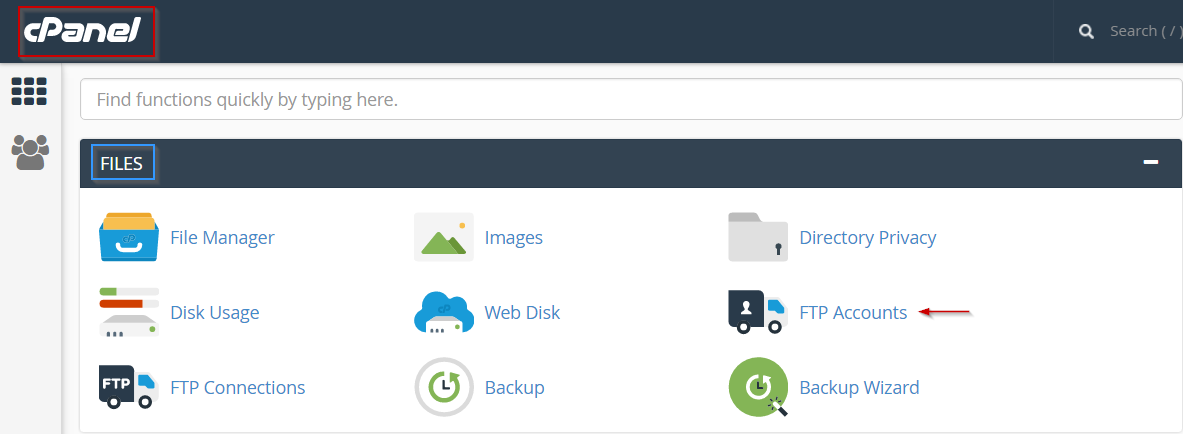
             create ftp account

Step 3. Under Add FTP Account, input a username for the new login

Step 4. 
Select the site you want to create the account for

Step 5. Input a password in both text boxes
            NB. Use the Generate password button for a strong one to be created automatically for you

Step 6. 
Choose the directory this account can connect to (leaving this blank will enable access to the root folder and every directory on the site)

Step 7. 
If you want to limit the amount of data that can be transferred, input that into the quota box

Step 8. 
Click Create Account
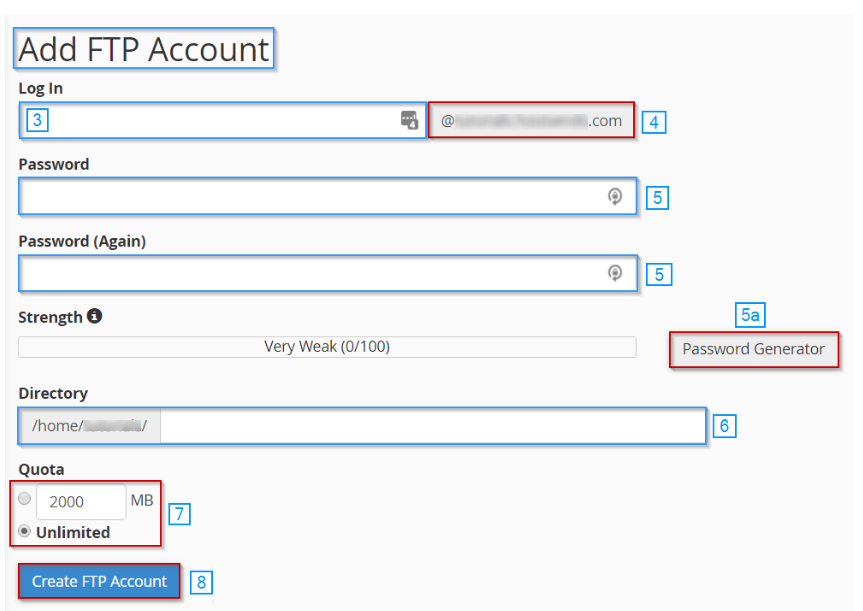
        create ftp account2

It should now appear at the bottom under FTP Accounts section.
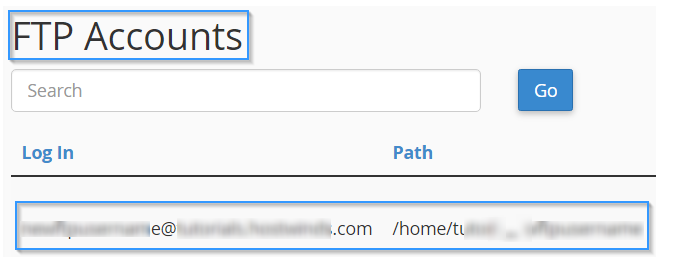

Account in cPanel


  • 0 Users Found This Useful
  • ftp, create ftp account
Was this answer helpful?

Related Articles

How To Clear Browser Cache.

How To Clear Browser Cache on Mac?Clear your browser's cache, to make sure you see updated...

How to upload a file using the File Manager

How To Access the File ManagerStep 1:  Login to the file Manager.Step 2:  Look for the file...

How Connect Filezilla ftp using Site Manager

Step 1:  Open FilezillaStep 2:  Click on file Menu at top left then click on Site ManagerStep 3:...

How to quickly connect ftp account using filezilla

Step 1:  Download filezilla and instal it.Step 2:  Open FilezillaStep 3:  Enter your FTP...